

Claude Code settings.json: configure agent teams, hooks and marketplaces
When people start with Claude Code, they set the model and stop there. But settings.json is the control panel that matters: it decides whether the agent works as a team, how it loads MCP tools, what happens at the end of every turn and where plugins come from. In this article I start from my real settings.json — with tokens and paths redacted — and walk through four sections I use every day, each with a link to Anthropic's official documentation.
🎯 Where settings.json lives and why it matters
Claude Code reads its configuration from three levels, from the most general to the most specific: ~/.claude/settings.json applies to everything I do on the machine; .claude/settings.json inside a project is shared in the repository with the team; .claude/settings.local.json stays on my machine and never goes under version control. When the same key appears in more than one file, the most specific level wins.
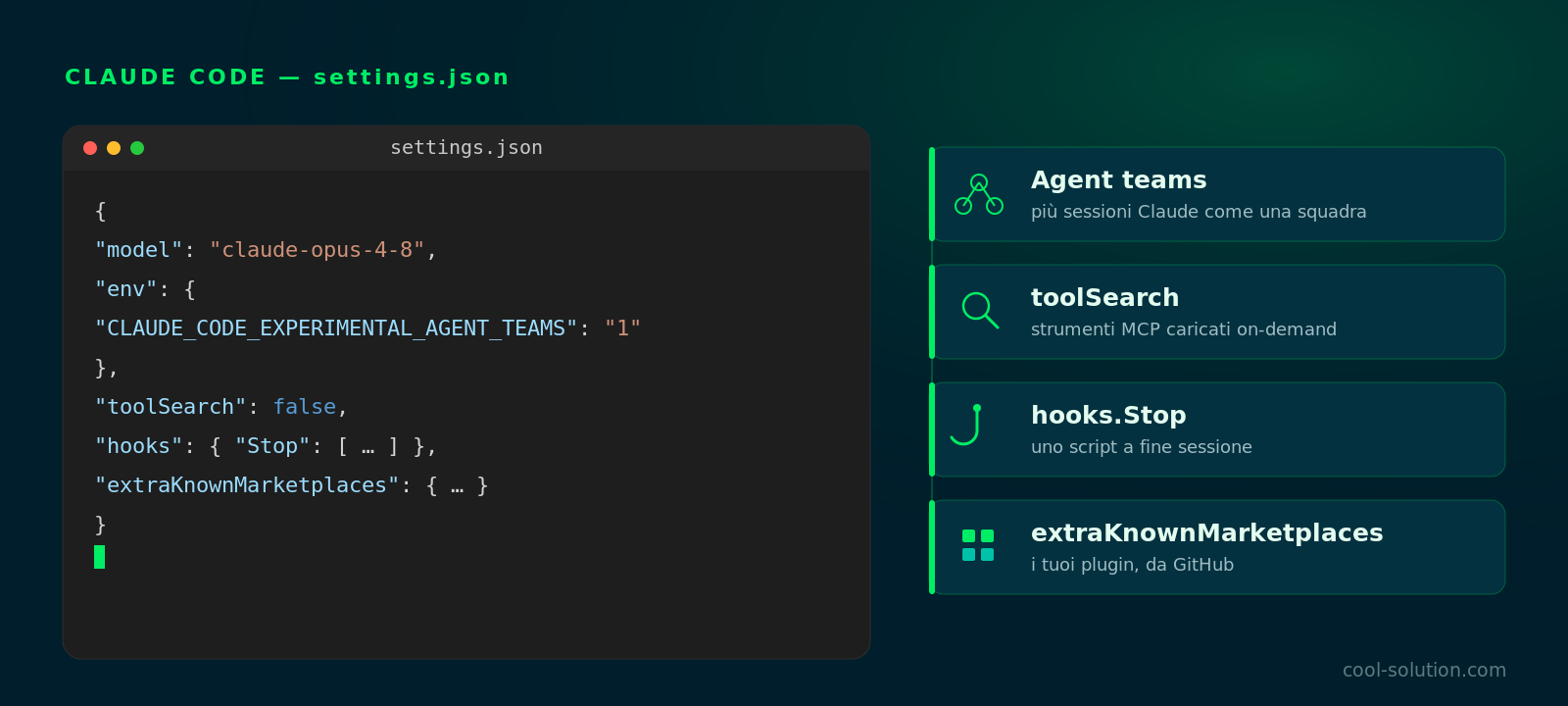
The rule I follow: personal settings and secrets live in the user file or the .local one, while in the repo I only commit what makes sense to share — project hooks, enabled plugins, permissions. Below is my user file, with the GitHub token and paths redacted: the four highlighted sections are the ones I explain next.
The four highlighted sections: agent teams, toolSearch, the end-of-session hook and plugin marketplaces.
👥 CLAUDE_CODE_EXPERIMENTAL_AGENT_TEAMS: team mode
It is an experimental feature: I turn it on by setting the variable to "1" inside env. It unlocks agent teams, that is several Claude Code sessions working together as a team instead of a single agent. One session is the team lead, coordinating and handing out work; the others — the teammates — work in parallel, each with its own context window.
The difference from subagents is real: subagents only report back to the lead and never talk to each other, while in an agent team members share a task list, claim work and communicate directly. It shines when I split a big task into independent parts, but it needs Opus access and a bit of discipline. Being experimental, I switch it on when I need it and off when I work solo.
{
  "env": {
    "CLAUDE_CODE_EXPERIMENTAL_AGENT_TEAMS": "1"
  }
}🛠️ toolSearch: when to turn it off
With many MCP servers connected, the available tools run into the hundreds and each one takes up context. Tool Search is the optimisation that loads tools on demand once they cross a share of the window, instead of keeping them all loaded. It is on by default and saves tokens.
I set toolSearch: false when I want the opposite: every MCP tool preloaded at startup, with no search step. It makes sense if I always use the same few servers and prefer zero start-up latency over a little extra context. It is a trade-off, not a rule: I usually leave it on and only switch it off on lean setups.
{
  // false = preload every MCP tool at startup
  "toolSearch": false
}🚀 hooks.Stop: a script at the end of every turn
Hooks run commands at precise points in the agent's lifecycle. The one I use most is Stop: it fires every time Claude Code finishes responding. The matcher set to "" means «on every stop», and inside I have a single *command handler that runs a shell script with a 300-second timeout.
In my case the script is auto-end-of-session.sh: at the end of a session it summarises and saves the conversation to Obsidian. Here I stop at the configuration — what the script actually does, and how to build it as a plugin with the /salva-session commands, is covered in the linked article. The point of this section is just this: a Stop hook gives you a reliable hook to automate whatever should happen at the end.
{
  "hooks": {
    "Stop": [
      {
        "matcher": "*",
        "hooks": [
          {
            "type": "command",
            "command": "~/.claude/hooks/auto-end-of-session.sh",
            "timeout": 300
          }
        ]
      }
    ]
  }
}🐙 extraKnownMarketplaces: your own plugin catalogues
A marketplace is a catalogue of plugins: a repo with a JSON file listing what can be installed. With extraKnownMarketplaces I register unofficial catalogues right in settings.json — here, for example, the superpowers-marketplace pulled from GitHub by giving just source and repo.
The nice part is that the marketplace can be mine: a GitHub repo, even a private one, where I publish my commands as a plugin installable on any machine. Registering it here (or with a command) means Claude Code knows about it and can install its plugins. How to build a personal marketplace from scratch and put a plugin inside it — remotely, not locally — is the subject of the linked article below.
{
  "extraKnownMarketplaces": {
    "superpowers-marketplace": {
      "source": {
        "source": "github",
        "repo": "obra/superpowers-marketplace"
      }
    }
  }
}
Official docs · Marketplaces ↗
✅ Apply and verify your changes
After touching settings.json, changes are read when the session starts: I restart Claude Code or open a new one. To check everything is active I use the right commands: /hooks shows the loaded hooks, /plugin manages marketplaces and plugins, /config opens the settings.
A common mistake is putting a secret in the versioned project file: tokens belong in the user file or in .local. And if a hook does not fire, it is almost always a wrong path or a missing permission on the script — not a Claude problem.
- 01Edit settings.jsonUser, project or local, depending on scope.
- 02Restart Claude CodeSettings are read when the session starts.
- 03Check with /hooks and /pluginI confirm hooks and plugins are really active.
- 04Version only what you needsettings.json in the repo, secrets in the .local file.
Frequently asked questions about Claude Code settings.json
Where does Claude Code's settings.json live?
On three levels: ~/.claude/settings.json (user, global), .claude/settings.json (project, shared in the repo) and .claude/settings.local.json (local, untracked). When a key repeats, the most specific level wins.
Should I enable experimental agent teams?
If I split big jobs into independent parts, yes: several sessions collaborating make a real difference. It needs Opus access and is an experimental feature, so I turn it on when needed and off when I work alone.
Does turning toolSearch off slow Claude Code down?
The opposite: toolSearch: false preloads every MCP tool at startup, removing the search step. It costs a little more context, so it only pays off if you always use the same few servers; with many MCPs I leave Tool Search on.
Let's talk
If this topic is relevant to you, write to me: comparing notes on code and AI is always time well spent.