


A plugin that has other AIs review Claude Code
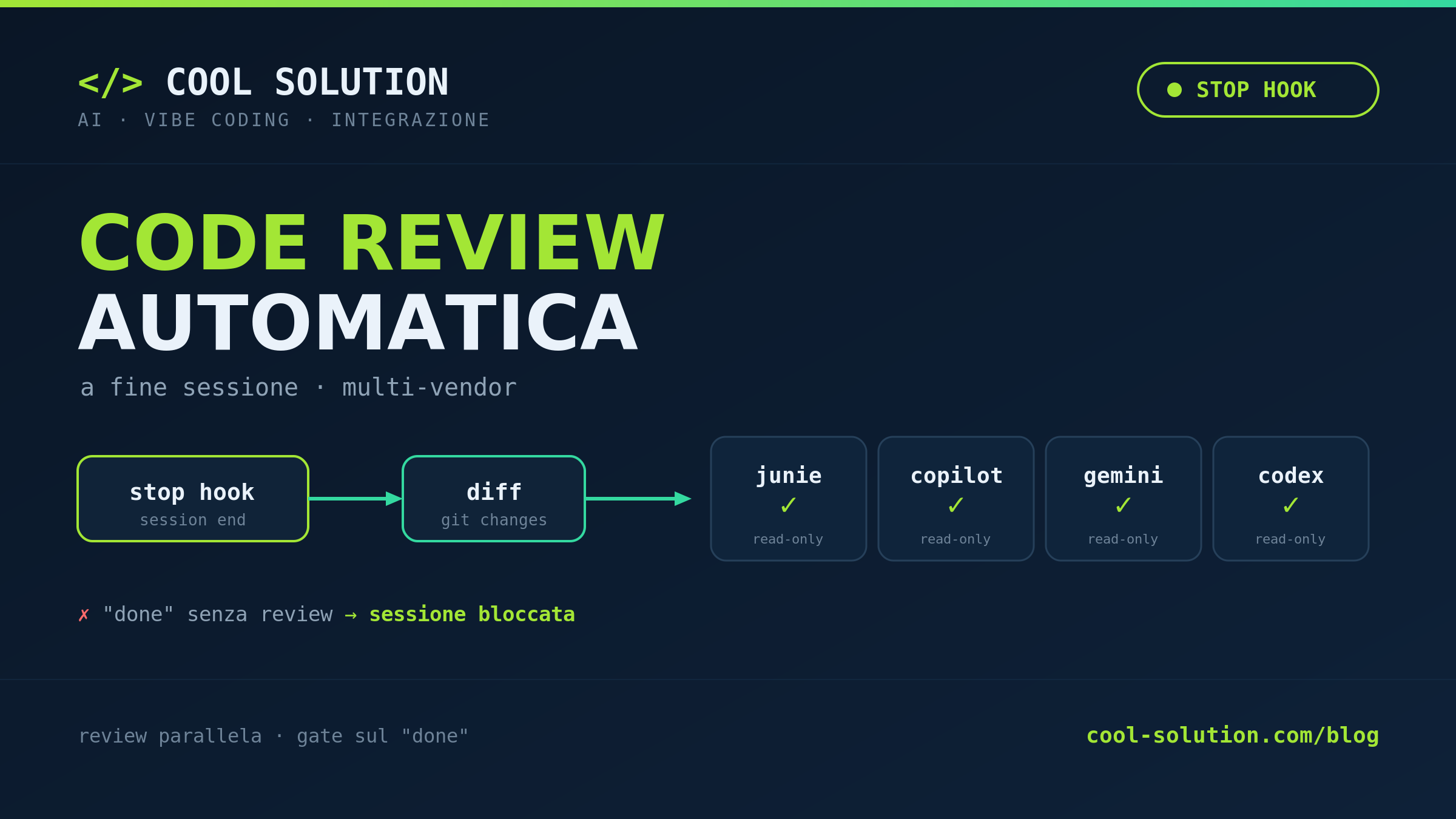
Getting an agent to write code is easy now: the real question is who reviews it. The idea in this article — a starting point, not a finished product — is a plugin that, when a Claude Code session ends, takes the diff and sends it for review to other terminal AIs: Junie, Copilot, Gemini and Codex. With one rule that keeps it robust: first check which CLIs are installed on the PC, and use only those.
💡 The idea in one line
When a Claude Code session ends, usually only one thing happens: I close the terminal. The freshly generated code just sits there, with no second pair of eyes. The idea is to fill that gap automatically: at session end the diff goes off to other AI assistants that read it and tell me what is wrong.
It is not something to download: it is a starting point built on tools I already have — four different review CLIs — orchestrated by a hook. The value is not a new tool, but the review becoming the default, not something I have to remember to do.
# the Claude Code session ends
stop  →  git diff  →  review by other AIs
# no manual command: it starts on its own🔍 First rule: check what is on the PC
This is the heart of the idea. I do not assume Junie, Copilot, Gemini and Codex are installed: every machine is different. The plugin detects which CLIs answer and sends the diff only to those. A command -v before each call, and that is it.
That keeps the plugin robust everywhere: on the laptop with all four CLIs it runs a four-voice review; on the PC where only Gemini lives it runs a single one. Whatever is missing gets skipped, it does not break the session.
# review only if the CLI exists on the PC
for cli in junie copilot gemini codex; do
  command -v "$cli" >/dev/null 2>&1 \
    && review_with "$cli" \
    || echo "skip · $cli not installed"
done🚀 The Stop hook that kicks it off
The piece that turns the idea into automation is a Stop hook: Claude Code runs it when the session ends. I register it once in settings.json and from then on I forget about it — at every session end my orchestrator script fires.
The review runs read-only: it reads the diff, never touches the files and never commits. If I want it to apply the fixes, that is a separate, deliberate second step — the default automation observes, it does not modify.
{
  "hooks": {
    "Stop": [
      { "command": "review-dispatch.sh" }
    ]
  }
}
Official docs · Claude Code hooks ↗
🏗️ The dispatcher and the plugin layout
The orchestrator script — the dispatcher — does one simple thing: for each CLI present it runs its review in parallel, gathers the outputs and stacks them one under the other. Four different models read the same diff from different angles: where one notices nothing, another finds the bug.
Packaging it all as a plugin means installing it on any machine with one command, instead of copying scripts by hand. The layout is minimal: a descriptor and the hooks folder.
code-review-team/
├─ .claude-plugin/
│  └─ plugin.json
└─ hooks/
   ├─ review-dispatch.sh   # orchestrator
   ├─ junie.sh    ├─ gemini.sh
   └─ copilot.sh  └─ codex.sh
🔐 The gate: no done without review
There is a useful extension of the idea: a gate. If at session end I declare it «complete» but the diff is not empty and no review passed, the hook blocks the close. It is the way to never say «done» for nothing: the proof comes before the claim.
The gate is adjustable: strict on important projects, soft on experiments. What matters is that the decision is explicit, not left to end-of-day memory.
- 01Stop hookthe session ends
- 02Detect the CLIscommand -v: who is on the PC
- 03Parallel reviewonly the tools present
- 04Gate on donediff not reviewed → stop
Four steps: trigger, detection, review, gate.
⚖️ Reviewer present or absent
It is worth pinning down the behaviour in both cases, because that is what makes the idea usable by anyone, with any set of tools installed.
The same session, on two different machines, produces different reviews with no change to the setup: the plugin adapts to what it finds.
CLI installed
- Receives the diff
- Runs read-only
- Returns its findings
CLI absent
- Skipped silently
- No blocking error
- The others carry on
Same plugin, different behaviour depending on what it finds on the PC.
🗺️ Where to start
If the idea is buzzing in your head, you do not need to build it all at once. Start from one reviewer — the one you already have — and a minimal Stop hook. Add the command -v in front of the call, so it does not break when you switch machines. Then, once it works, add the others.
It is a starting point: the skeleton — end-of-session hook, CLI detection, read-only parallel review — is the one I use every day. The rest adapts to your tools. The point is not the tool, it is making review automatic.
1.  a minimal Stop hook
2.  one CLI you already have (e.g. gemini)
3.  command -v before running it
4.  then add junie, copilot, codex
Frequently asked questions about multi-AI code review for Claude Code
Do I need to install all four CLIs?
No. The plugin uses command -v to detect which ones are present and sends the diff only to those; the rest are skipped without errors. Even with a single CLI the flow makes sense.
Does the review modify my code?
No: it runs read-only and only produces findings, not commits. If you want it to apply fixes, you set that up as a separate, deliberate step.
Do I need a paid service or a connection?
It depends on each CLI: the plugin does not bypass their requirements, it just checks whether they answer on your PC and uses them when they do.
Is it a ready-to-install plugin?
It is a starting point, not a product: the skeleton (end-of-session hook, CLI detection, parallel review) is real, but you adapt it to your tools.
Let's talk
If this topic is relevant to you, write to me: comparing notes on code and AI is always time well spent.