

Token limits in Codex CLI and Claude Code: /goal, budgets and commands
An agentic session left running can burn a week's worth of tokens in an afternoon. It happened to me with a refactor that started «small» and ended up grinding context for hours. Since then I treat token budgets the way I treat timeouts in production: always configured, never optional. Here I line up the levers I use to limit tokens in Codex CLI — the /goal command and the keys in config.toml — and in Claude Code — /usage, /compact, the variables in settings.json — with links to the official documentation.
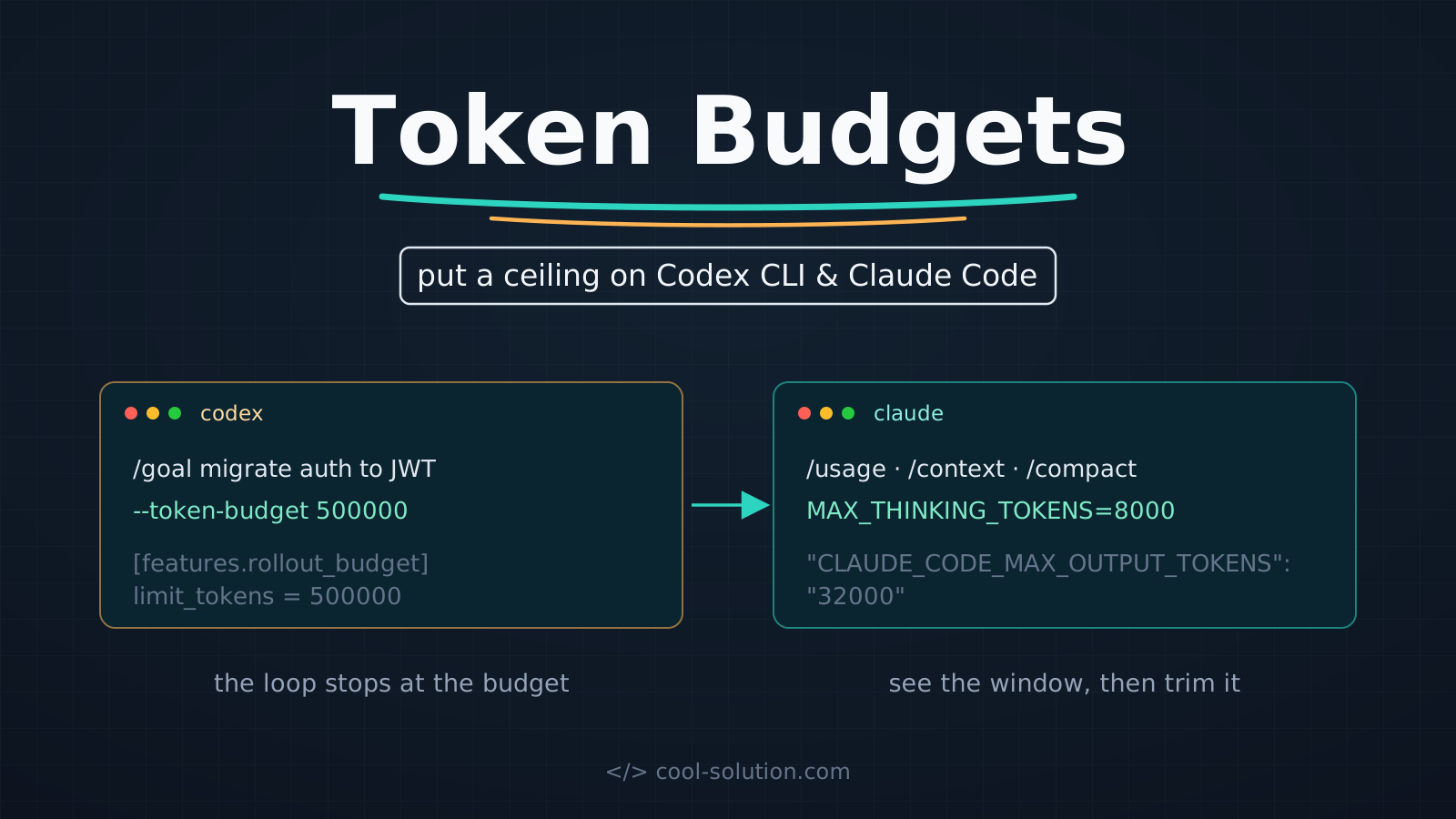
🔍 Why cap token usage at all
The problem isn't the cost of a single turn, it's the long tail: sessions never cleared, bloated context you pay for again on every message, agentic loops that retry forever. A token budget turns unpredictable spend into spend with a known ceiling: as the cap approaches, the agent wraps up cleanly instead of consuming more.
The two tools think differently: Codex CLI puts the budget on the task (an objective with a token ceiling), Claude Code works on the session and the context window (see what consumes, trim it, cap thinking and output). Below is the full cheat sheet; the next sections take it apart piece by piece.
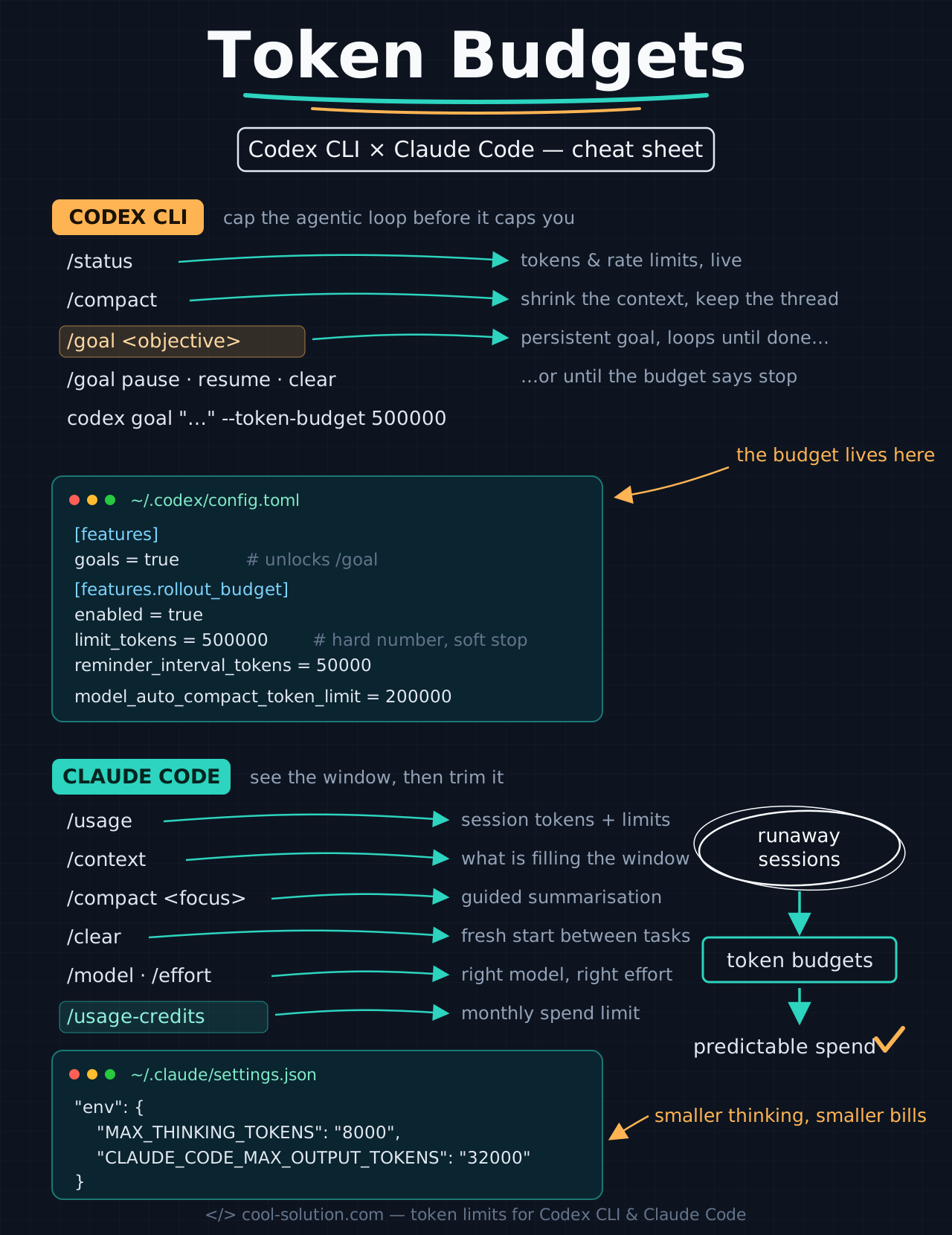
Every command and configuration key from this article, on a single page.
🎯 Codex's /goal: an objective with its own budget
The /goal command (Codex CLI 0.128.0, April 2026) changes the execution model: instead of prompt-diff-done, the agent pursues a persistent objective until it completes it, gets blocked, or exhausts the configured token budget. The objective survives compactions, terminal crashes and reboots: with /goal pause and /goal resume I stay in control, not the model.
The budget is the part that matters here: it's a soft stop. When tokens approach the ceiling, the agent stops making new changes and produces a summary of what's done and what remains. One warning: it is not a billing cap — a single expensive turn can overshoot before the limit prompt fires. The feature has to be enabled in config.toml (next section).
# inside the TUI
/goal Migrate the auth module to JWT, update the tests
/goal            # status and summary
/goal pause      # suspend, keep the context
/goal resume     # pick up where it left off
/goal clear      # back to normal behaviour

# from the command line, with an explicit budget
codex goal "Refactor the auth module" --token-budget 500000
Official changelog · Codex CLI ↗
⚙️ config.toml: rollout_budget and auto-compact
The keys that matter live in ~/.codex/config.toml. First thing: /goal sits behind a feature flag — without goals = true the command simply doesn't exist, and the failure is silent. Then there's features.rollout_budget, the documented mechanism for the token ceiling: enabled switches it on, limit_tokens is required and is the actual budget, reminder_interval_tokens decides how often the agent gets a reminder of the remaining budget (default: 10% of the limit).
The picture is completed by model_auto_compact_token_limit, the threshold that triggers history compaction earlier, and by project-scoped overrides: a config.toml inside the repository (under .codex/) is picked up as Codex walks from the project root, so every project can carry its own budget. Honest note: guides around the web mention keys like max_tokens_per_session or model_max_output_tokens — in the official reference, the documented budget mechanism today is rollout_budget.
[features]
goals = true                        # unlocks /goal

[features.rollout_budget]
enabled = true
limit_tokens = 500000               # token ceiling (required)
reminder_interval_tokens = 50000    # reminder every 50k

# compact history before the model limit
model_auto_compact_token_limit = 200000
Official docs · Configuration reference ↗
📊 Claude Code: /usage, /context and /compact
Claude Code doesn't (yet) have a per-task budget: its philosophy is see, then trim. /usage shows session tokens and, on subscriptions, how much of the plan limits I'm consuming, with a breakdown of what weighs — skills, subagents, MCP servers. /context tells me what is filling the window. Those are the two commands I run before asking «why is this slow and expensive».
The trimming is done by /clear, which resets context between unrelated tasks (stale context = tokens paid again on every message), and /compact, which summarises history and accepts instructions on what to keep. With /model and /effort I lower model and effort when the task doesn't deserve Opus, and /usage-credits sets a monthly spend limit on the account. On top of that, the status line can show window usage in real time.
/usage                    # session tokens + plan limits
/context                  # what fills the window
/compact Keep the code samples and the APIs we used
/clear                    # reset between unrelated tasks
/model                    # cheaper model for the task
/effort low               # less reasoning, fewer tokens
/usage-credits            # monthly spend limit
Official docs · Manage costs ↗
🔧 settings.json: capping thinking and output
The permanent levers live in settings.json, inside the env block. MAX_THINKING_TOKENS cuts the extended-thinking budget on fixed-budget models: thinking tokens are billed as output and the default can be tens of thousands per request — for simple tasks 8000 is plenty. CLAUDE_CODE_MAX_OUTPUT_TOKENS caps the maximum output per request; careful, raising it shrinks the usable window before auto-compact kicks in, so it's something to dose, not to maximise.
Two complementary tricks that follow the same «less context, less spend» logic: delegate verbose operations to subagents, so the huge output stays in their context and only a summary comes back to me, and use hooks to pre-filter — a hook that trims test output down to failures turns tens of thousands of tokens into hundreds.
{
  "env": {
    "MAX_THINKING_TOKENS": "8000",
    "CLAUDE_CODE_MAX_OUTPUT_TOKENS": "32000"
  }
}
Official docs · Environment variables ↗
⚠️ Mistakes to avoid
The first mistake I've already hinted at: treating budgets as billing caps. Both /goal's token budget and limit_tokens are runtime mechanisms: they stop the loop, not the credit card. For a real spend ceiling you need /usage-credits (subscriptions) or workspace spend limits in the API Console. Second: forgetting the feature flag — /goal without goals = true doesn't error, it just never appears.
Third mistake: monolithic budgets. A huge objective with a huge budget loses its guardrails after context compactions; it works better to split into small goals with tight budgets (100–500k for a targeted fix, 500k–2M for a multi-file refactor). Last one: raising CLAUDE_CODE_MAX_OUTPUT_TOKENS «just in case» — you pay for it in context window and hit auto-compact sooner.
✅ Final checklist
My minimal setup is this: budgets on by default, measure before trimming, spend limits upstream. Five minutes of configuration that pay for themselves the first time a session is accidentally left running.
- 01Enable goals and rollout_budgetIn ~/.codex/config.toml: goals = true, a realistic limit_tokens.
- 02One budget per /goalSmall objectives, tight budgets: 100–500k for targeted fixes.
- 03Measure with /usage and /contextBefore optimising, I look at what actually consumes.
- 04Trim with /clear and /compactReset between tasks; guided compaction when continuity matters.
- 05Limits upstreamMAX_THINKING_TOKENS in settings.json, /usage-credits for monthly spend.
Frequently asked questions about token limits Codex Claude Code
Is the /goal token budget a hard limit?
No: it's a runtime soft stop. As the budget approaches, the agent wraps up cleanly with a summary, but a single expensive turn can overshoot before the limit fires. It is not a billing cap: for that you need account spend limits or API workspace spend limits.
How do I set a monthly spend limit in Claude Code?
On Pro and Max with /usage-credits: from the dialog I set, change or remove the monthly spend limit and manage extra usage credits. With API access you use workspace spend limits in the Claude Console, which cover all of the organisation's Claude Code traffic.
Is /compact or /clear better for saving tokens?
It depends on continuity: /clear between unrelated tasks (stale context is paid again on every message), /compact when the history is still useful — with an instruction on what to keep, like «keep the code samples». In Codex CLI the equivalent is /compact plus the model_auto_compact_token_limit threshold.
Let's talk
If this topic is relevant to you, write to me: comparing notes on code and AI is always time well spent.